Essential Computers and Tablets Buying Tips for Global Buyers?
When considering a purchase in the realm of Computers & Tablets, global buyers face a unique set of challenges. These devices have become essential tools for both work and leisure. With countless options available in various markets, making an informed decision is crucial. Understanding regional differences in technology specifications and availability can save you time and money.
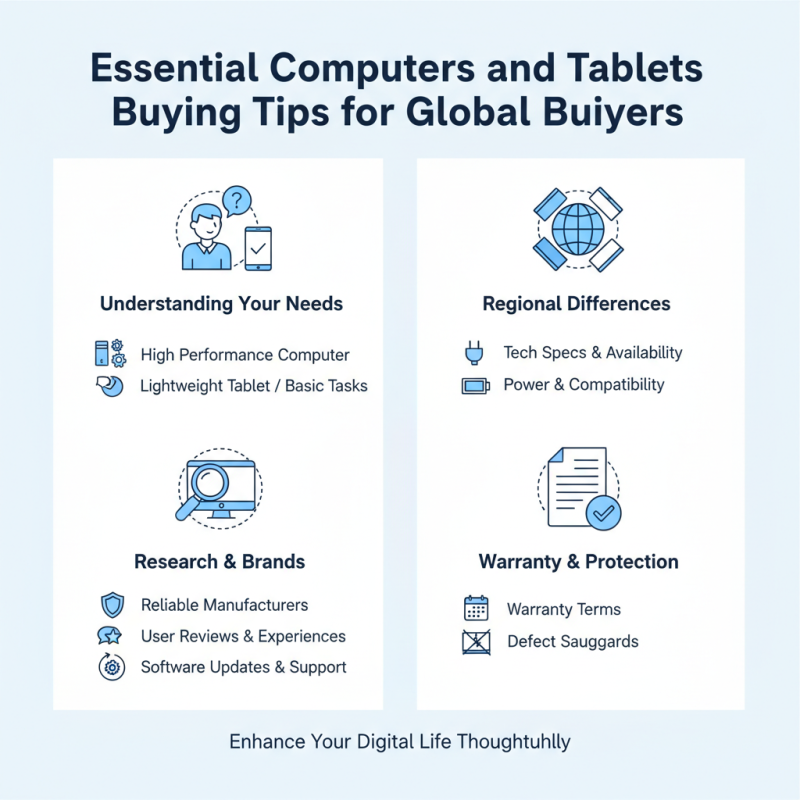
As you navigate the purchasing landscape, it’s vital to recognize your needs. Are you looking for a high-performance computer, or do you need a lightweight tablet for basic tasks? Each choice carries its own pros and cons. For instance, some tablets offer portability but lack the processing power desired by power users.
Moreover, it is important to research brands and models thoroughly. Not all manufacturers provide reliable support or updates. By focusing on experiences and reviews, buyers can gain insights into what truly works. Additionally, keep an eye on warranty terms. Knowing your rights ensures you have protection against defects. Overall, choosing the right Computers & Tablets can greatly enhance your digital life if approached thoughtfully.
Key Considerations When Choosing Computers and Tablets for Global Use
When choosing computers and tablets for global use, portability is crucial. Look for lightweight devices that won’t weigh you down during travel. Consider battery life; good devices provide long-lasting power. Connectivity options matter too. Ensure the device supports multiple Wi-Fi bands and Bluetooth standards. These features enhance usability in diverse regions.
Another important aspect is the operating system. Different regions might favor specific software ecosystems. Check if the device supports multilingual capabilities and regional settings. Security features should not be overlooked. Look for devices with built-in encryption and reliable support. Set a budget, but remember that investing in quality pays off.
Compatibility with local accessories can be a challenge. Research options for chargers and adapters based on where you'll use your device. Pay attention to warranty options, as global models can sometimes lack regional support. Each region has unique preferences and needs; consider them during selection. A tailored approach leads to a satisfying experience. Remember, no device is perfect. Reflecting on user reviews can offer insights into potential issues.
Understanding Different Operating Systems: Windows, macOS, and Linux
When choosing an operating system, understanding the differences among Windows, macOS, and Linux is essential. Windows commands a significant market share, at over 76% globally. Its extensive application support makes it a popular choice for businesses and gamers alike. This versatility accommodates various user needs, from casual browsing to intensive graphic design work. However, Windows can sometimes lead to security challenges, with a rise in malware targeting its users.
On the other hand, macOS offers a user-friendly interface with seamless integration across devices. According to a recent survey, around 17% of users prefer macOS for its stability and strong security measures. Creative professionals often favor it due to reliable performance in software like video editing and graphic design. However, users might find the limited hardware options and higher price point a drawback.
Linux, with only about 2% market share, presents itself as a robust alternative. Its open-source nature allows users to customize and configure their systems extensively. This flexibility appeals to developers and tech enthusiasts. While Linux tends to be more secure, the learning curve can be steep for newcomers. Many users struggle to find adequate support or familiar software, demanding a willingness to adapt.
Evaluating Specifications: RAM, Storage, and Processing Power Explained
When considering a new computer or tablet, understanding specifications is crucial. RAM, storage, and processing power significantly impact overall performance. RAM acts as the short-term memory. More RAM can lead to better multitasking and smoother performance. A device with 8GB of RAM can run multiple applications efficiently, while 4GB may struggle under heavy loads.
Storage is another critical factor. Solid State Drives (SSDs) offer faster data access compared to traditional Hard Disk Drives (HDDs). If speed matters to you, opt for at least 256GB SSD. This choice enhances the device’s responsiveness. For those requiring extensive storage, consider higher capacity options. However, this may lead to slower performance in some cases.
Processing power should not be overlooked. A faster processor means quicker task completion. Aim for at least a dual-core processor for basic tasks. Quad-core processors handle more demanding applications better. Yet, be aware that raw power isn’t everything. An unoptimized system can still lag. Balance specifications with real-world needs. Overlook this, and you might regret your choice later.
Essential Computers and Tablets Buying Tips: Evaluating Specifications
This chart illustrates the average specifications for mid-range computers and tablets, focusing on RAM, storage capacity, and processing power. Evaluating these specifications is crucial for global buyers looking for performance and capability in their devices.
Price vs. Performance: Finding the Best Value for Your Budget
When purchasing computers and tablets, understanding price versus performance is crucial. A recent report from IDC shows that nearly 60% of consumers consider performance their top priority in a new device. Yet, many buyers often overlook how price impacts long-term value. Identifying the ideal balance ensures that investment meets both immediate needs and future demands.
Budget constraints can limit options, leading to frustration. Buyers may be tempted to sacrifice performance for a lower price. For instance, devices that seem affordable may struggle with software upgrades, leading to higher costs later on. According to Gartner, a device with better specs may offer a 30% longer lifespan, ultimately providing better value. Consider speaking to experts or reading consumer reviews to identify which specifications matter most.
Additionally, focus on specific features that enhance usability. Look at battery life, screen quality, and processing power. Research from Forrester notes that a significant percentage of users prioritize battery performance in their buying decisions. Choosing a device with a superior battery life can greatly enhance the user experience, despite a higher upfront cost. Balancing these factors is key to making an informed decision that aligns budget with performance.
Essential Computers and Tablets Buying Tips for Global Buyers
| Device Type | Price Range | Performance Rating | Best Use Case |
| Laptop | $500 - $1500 | 8/10 | General use, office work, light gaming |
| Tablet | $300 - $800 | 7/10 | Media consumption, portability |
| Gaming Laptop | $1000 - $3000 | 9/10 | High-performance gaming |
| 2-in-1 Laptop | $600 - $1200 | 8/10 | Versatility, note-taking |
| Chromebook | $250 - $700 | 6/10 | Web browsing, student use |
Assessing Compatibility and Support for Global Buyers in Tech Products
When purchasing computers and tablets, compatibility is a crucial factor for global buyers. Different regions have various technical standards. Ensure the device you choose supports the necessary voltage and frequency for your country’s electrical system. Researching power adapters is essential to avoid mismatches that can damage your device.
Another important aspect is software support. Operating systems may have region-specific versions with limited functionalities. Verify that the software you plan to use is fully compatible with your device. This can prevent frustrating issues down the line. Language settings are another detail that can affect user experience, especially for non-native speakers.
Lastly, consider warranty and customer support. Availability of service centers varies by region, and some products may not have global warranty coverage. Check the reliability of the seller and read reviews from other global buyers. These experiences can provide valuable insights but can sometimes be biased. A thorough assessment of compatibility and support can lead to more satisfying tech purchases.